Showing posts with label Web Design. Show all posts

Sunday, 3 April 2016

, , ,

12 Small CSS Frameworks To Use In Your Web Designs

You probably don’t need most of the features that come with large UI frameworks such as Bootstrap, especially when you’re working on small, straightforward projects that you just want to get up and running as soon as possible. Fortunately, there are smaller, simpler CSS frameworks out there that you can use instead.
Using a small CSS framework typically translates to a gentler learning curve for developers, non-dependency on JavaScript for functionality, and faster load timesfor your users.
I’ve created an excellent list of small/minimalist CSS frameworks for you to explore. Most of them are under 5 KB (when minified and gzipped) and contain the essential ingredients for building responsive web designs.

min

min
min, the smallest CSS framework on this list, has a responsive 12-column grid system, button styles, table styles, Android-compatible icons, and more. min even supports ancient browsers like Internet Explorer 5.5.

Milligram
Milligram
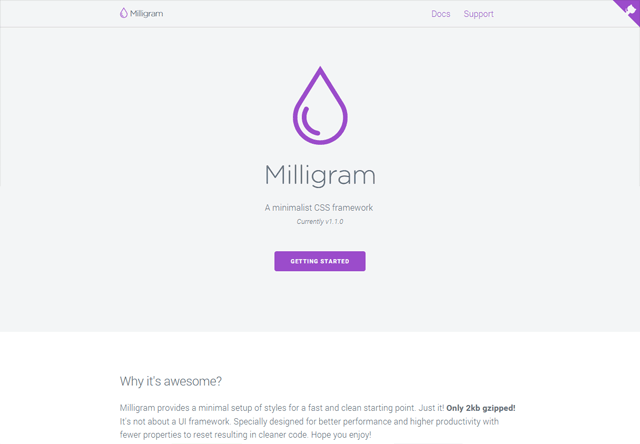
Milligram is for modern UIs — its grid system uses FlexBox, sizes and lengths use the rem unit, and it’s Mobile First. Being on the cutting edge comes at a cost: Milligram only officially supports the newest versions of Chrome, Firefox, IE, Safari, and Opera.

Blaze CSS

Blaze CSS
Out of the box, Blaze CSS is already lightweight, but you can reduce its file size even more due to its modular architecture which allows you to include only the parts you intend to use in your project. (Read the instructions for creating a custom Blaze CSS build for more info.)

Kube

Kube
Kube packs a punch for a CSS framework that weighs less than 6 KB. It has a responsive grid system, a robust set of classes for styling your web forms, multiple table classes, notification classes for displaying important messages to your users, and more.

Pure
Pure
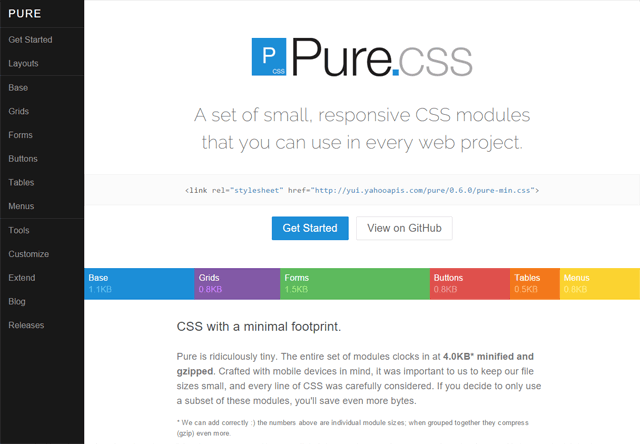
Pure, an open source project led by Yahoo! developers, is a suite of CSS modules that will help you quickly build responsive web designs. Pure has basic styles for all HTML elements (developed on top of Normalize.css), and modules for grid layouts, web forms, buttons, tables, and navigation menus.

Furtive
Furtive
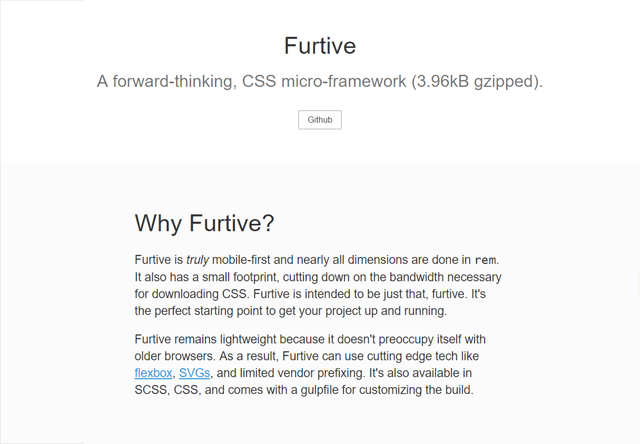
Calling itself a "CSS micro-framework", Furtive is geared towards modern web designs. Like Milligram, Furtive is Mobile First, has a responsive grid based on FlexBox, and uses the rem unit for lengths and sizes. It has the basics covered: buttons, forms, and even default color classes.

Skeleton

Skeleton
Though it hasn’t been updated in over a year, Skeleton is still a top-notch starting point/boilerplate for rapidly building modern, responsive web designs. It comes with an intuitive grid system and base styles for your HTML elements.

FOX CSS
FOX CSS
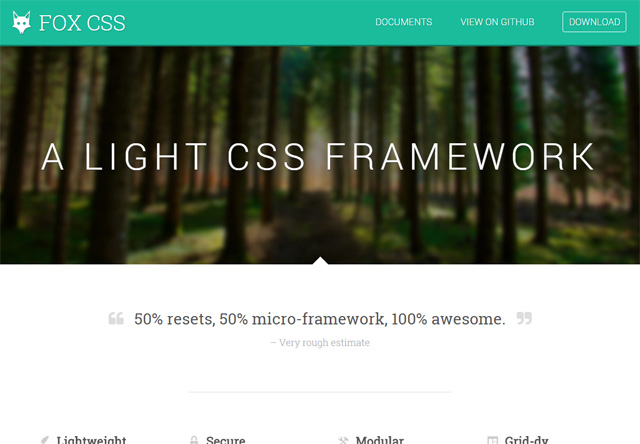
FOX CSS is a lightweight, modular CSS framework. It uses the Mobile First design approach, supports browsers as old as IE 9, and has a non-aggressive CSS reset(inspired by KNACSS).

Basscss
Basscss
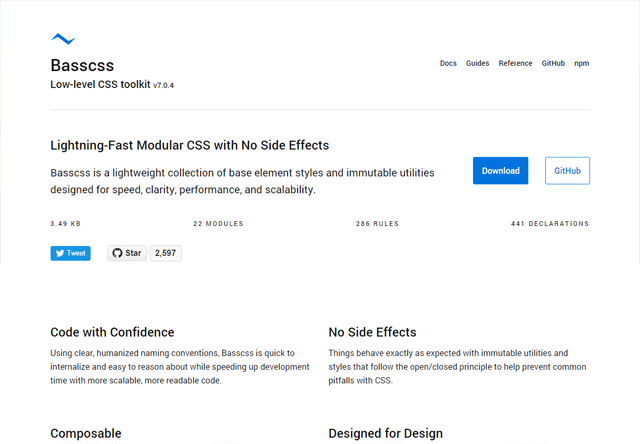
Basscss is made up of 22 CSS modules consisting of a CSS reset, a grid system, color classes, utility classes to help you build your responsive designs, and much more. Basscss is surprisingly feature-rich for something that weighs less than 4 KB.

Siimple
Siimple
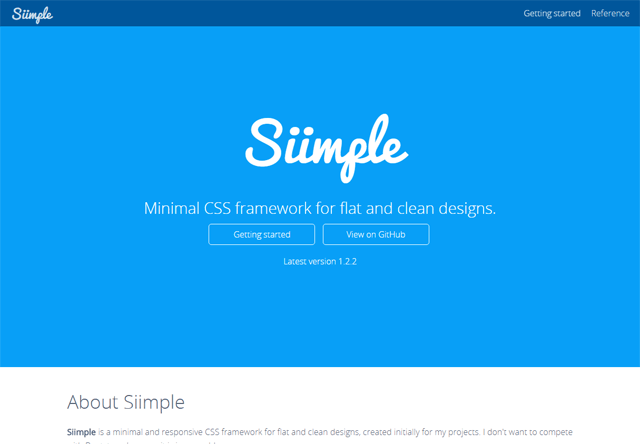
Siimple is a minimalist CSS framework for building responsive, clean web designs. It’s similar to Skeleton: It has an intuitive 12-column grid system and base styles for typography, tables, buttons, forms, and more.

Lotus
Lotus
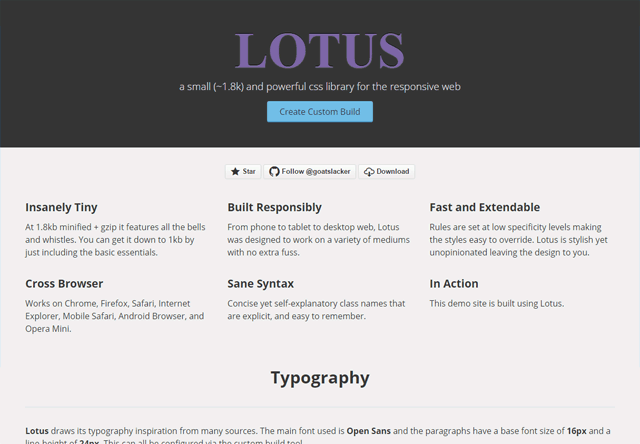
Lotus is one of the smallest CSS frameworks out there. It’s got the essentials covered: a responsive grid system, typography, buttons, and web forms.

Picnic CSS
Picnic CSS
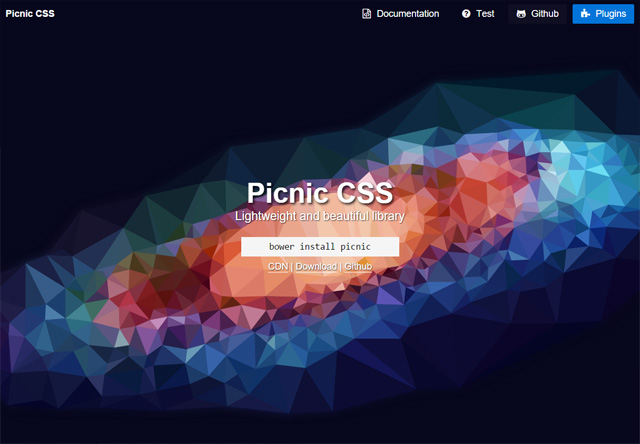
Picnic CSS is a lightweight UI framework written in Sass, making it easier for you to edit and customize variables such as colors and lengths. It also has some impressive, purely-CSS UI components such as a modal window and a content slider.

Summary Table

The following table contains useful details about the CSS frameworks featured in this list.
NameSize*DocsLicenseGitHub RepoPopularity **
min1.02 KBDocsMITRepo685
Milligram4.05 KBDocsMITRepo3,000
BlazeCSS5.71 KBDocsMITRepo7
Kube5.94 KBDocsMITRepo (outdated)538
Pure4.0 KBDocsBSDRepo13,373
Furtive2.37 KBDocsMITRepo369
Skeleton1.57 KBDocsMITRepo10,884
FOX CSS2.46 KBDocsUnknownRepo87
Basscss3.49 KBDocsMITRepo2,597
Siimple5.56 KBDocsMITRepo14
Lotus1.80 KBDocsMITRepo14
Picnic CSS2.32 KBDocsMITRepo932
*Size is the file size of the minified and gzipped CSS file. Size values were derived from my independent testing of the production-ready/distribution stylesheets of each CSS framework.
**Popularity is the amount of users who are keeping track of the CSS framework’s source code on GitHub. This value is measured by the number of Stars the project had around the time this post was published. A higher value means the project is more popular.

7 Incredibly Useful Tools for Evaluating a Web Design

An effective web design is one in which your users are able to find informationquickly and in a logical fashion.
Do they visit the content you want them to visit? Are they looking in the right places of your web page? Are you able to keep your user’s attention, or do they just leave quickly?
It’s not just about the content either. If your design loads slowly – or if moving from one section to another takes a long time – it affects the user’s experience.
These things can be the make-or-break factors between a user clicking on a link to find more information, or the back button to find it elsewhere.

Some things to consider:

  • Are important information being seen by the user?
  • Are the navigation and action items intuitive?
  • Is the user being directed to sections in a logical manner?
  • Does the web page load quickly enough to not turn away the user?
If you’re interested in analyzing and optimizing your page layout – here’s some extremely useful tools that you can use to help.

1. ClickHeat

ClickHeat is an open source visual tool for showing “hot” and “cold” zones of a web page. It allows you to see which spots users click on most, and which spots are being ignored.
ClickHeat - Demonstration screenshot
It’s very easy to implement on your website, you only have to include an external JavaScript file.

2. Crazy Egg

Crazy Egg offers a myriad of analytical tools to help you visualize what visitors are doing.
Crazy Egg - Screenshot of confetti overlay
Features include: Confetti – allowing you to see what people are clicking on based on certain factors such as their operating system and where they came from,Overlay – providing you with tons of data about particular links, and Report sharing– enabling you to share the data with team members and clients.
The free version only allows 4 pages to be tracked – so use your top landing pages to get the most data.

3. YSlow for Firebug

A key tenet of a strong design is that, not only should information be presented in a logical and elegant fashion, but that it must also be served quickly, with very little delay.
YSlow for Firebug - Performance Grade and breakdown of Yahoo! homepage
YSlow for Firebug is a free tool for Mozilla Firefox that gives you information about your front-end design to see if it performs well. It gives you a letter grade (A through F) and outlines your web page’s trouble spots.
It’s based on the Yahoo! Developer Network’s “Best Practices for Speeding Up Your Web Site” initially written by Steve Souders, who was once the Chief of Performance at Yahoo! and is now working over at Google on web performance and open source initiatives.
Downloads: Firebug extension for Firefox (required) and YSlow.

4. clickdensity

clickdensity is a full suite of usability analysis tools that will help you assess your web page design.
clickdensity - screenshot of hover map
You can use heat maps showing where users click on the most, hover maps – which shows people scrolling over links but not clicking on them, and A/B Tests which allows you to change certain page elements to see which style is more effective.
The free subscription give you 5,000 clicks and only one page and one site to monitor.

5. ClickTale

ClickTale offers a lot of user data pertaining to how visitors use your website.
ClickTale - Heat map
There are plenty of things you can look at such as average time it takes for a user to click on a link, a user’s hesitation on clicking a link, hover to click ratio, and much more. It also provides detailed reports and charts on your users’ monitor sizes to better optimize your web page design to cater for the typical visitor.

6. Clicky

Perhaps the most interesting feature that Clicky has is its real-time tracking and monitoring feature, called Spy (check out the demo here).
Clicky - Spy Data
Besides Spy, there’s a host of other analytics data you can look at such as userActions – which records click data from your users and Visitors – providing you user data.

7. Google Analytics

One of the best free services that Google offers is Google Analytics and probably the most well-known analytics tool. It’s incredibly easy to install and offers plenty of user and content data to help you learn more about your web pages’ performance.
Google Analytics - Site Overlay feature
It has a feature called Site Overlay, which gives you a visual representation of the popular places your users like to click on. It also offers data on bounce rates and your top exit pages (to see what pages make users leave).
So there they are, some of the best tools in the market to help you troubleshoot and optimize your page layout. In the end, it’s a combination of great content, as well as how you present this content — that will lead to an effective design.
, ,

15 Tools to Help You Develop Faster Web Pages

Response times, availability, and stability are vital factors to bear in mind when creating and maintaining a web application. If you’re concerned about your web pages’ speed or want to make sure you’re in tip-top shape before starting or launching a project, here’s a few useful, free tools to help you create and sustain high-performance web applications.
I’ve tried to include a wide variety of tools that are easy to use, and have tried to keep them as OS and technology-independent as possible so that everyone can find a tool or two.

1. YSlow for Firebug

YSlow for Firebug - Screenshot
YSlow grades a website’s performance based on the best practices for high performance web sites on the Yahoo! Developer Network. Each rule is given a letter grade (A through F) stating how you rank on certain aspects of front-end performance. It’s a simple tool for finding things you can work on such as reducing the number of HTTP request a web page makes, and compressing external JavaScript and CSS files. A worthwhile read is the Ajax performance analysis post on IBM developer Works that outlines practical ways of using YSlow in your web applications.

2. Firebug

Firebug - Screen shot
Firebug is an essential browser-based web development tool for debugging, testing, and analyzing web pages. It has a powerful set of utilities to help you understand and dissect what’s going on. One of the many notable features is the Net (network”) tab where you can inspect HTML, CSS, XHR, JS components.

3. Fiddler 2

Fiddler 2 - Screen shot
Fiddler 2 is a browser-based HTTP debugging tool that helps you analyze incoming and outgoing traffic. It’s highly customizable and has countless of reporting and debugging features. Be sure to read the “Fiddler PowerToy – Part 2: HTTP Performance” guide on the MSDN which discusses functional uses of Fiddler including how to improve “first-visit” performance (i.e. unprimed cache), analyzing HTTP response headers, creating custom flags for potential performance problems and more.

4. Cuzillion

Cuzillion - Screen shot
Cuzillion is a cool tool to help you see how page components interact with each other. The goal here is to help you quickly rapidly check, test, and modify web pages before you finalize the structure. It can give you clues on potential trouble-spots or points of improvements. Cuzillion was created by Steve Saunders, the ex-Chief Performance at Yahoo!, a leading engineer for the development of Yahoo’s performance best practices, and creator of YSlow.

5. mon.itor.us

mon.itor.us - Screen shot
monitor.us is a free web-based service that grants you a suite of tools for monitoring performance, availability, and traffic statistics. You can establish your website’s response time and set up alerts for when a service becomes unavailable. You can also set-up weekly, automated benchmarks to see if changes you’ve made impact speed and performance either positively or negatively.

6. IBM Page Detailer

IBM Page Detailer - Screen shot
The IBM Page Detailer is a straightforward tool for letting you visualize web components as they’re being downloaded. It latches onto your browser, so all you have to do is navigate to the desired site with the IBM Page Detailer open. Clicking on a web page component opens a window with the relevant details associated with it. Whenever an event occurs (such as a script being executed), the tool opens a window with information about the processes.

7. Httperf

Httperf is an open-source tool for measuring HTTP server performance running on Linux. It’s an effective tool for benchmarking and creating workload simulations to see if you can handle high-level traffic and still maintain stability. You can also use it to figure out the maximum capacity of your server, gradually increasing the number of requests you make to test its threshold.

8. Pylot

Pylot - Screen shot
Pylot is an open-source performance and scalability testing tool. It uses HTTP load tests so that you can plan, benchmark, analyze and tweak performance. Pylot requires that you have Python installed on the server – but you don’t need to know the language, you use XML to create your testing scenarios.

9. PushToTest TestMaker

PushToTest TestMaker - Screen shot
PushToTest TestMaker is a free, open-source platform for testing scalability and performance of applications. It has an intuitive graphical user interface with visual reporting and analytical tools. It has a Resource Monitor feature to help you see CPU, memory, and network utilization during testing. The reporting features let you generate graphs or export data into a spreadsheet application for record-keeping or further statistics analysis.

10. Wbox HTTP testing tool

Wbox HTTP testing tool - Screen shot
Wbox is a simple, free HTTP testing software released under the GPL (v2). It supports Linux, Windows, and MacOS X systems. It works by making sequential requests at desired intervals for stress-testing. It has an HTTP compression command so that you can analyze data about your server’s file compression. If you’ve just set up a virtual domain, Wbox HTTP testing tool also comes with a command for you to test if everything’s in order before deployment.

11. WebLOAD

WebLOAD - Screen shot
WebLOAD is an open-source, professional grade stress/load testing suite for web applications. WebLOAD allows testers to perform scripts for load testing using JavaScript. It can gather live data for monitoring, recording, and analysis purposes, using client-side data to analyze performance. It’s not just a performance tool – it comes with authoring and debugging features built in.

12. DBMonster

DBMonster - Code Screen shot
DBMonster is an open-source application to help you tune database structures and table indexes, as well as conduct tests to determine performance under high database load. It’ll help you see how well your database/s will scale by using automated generation of test data. It supports many databases such as MySQL, PostgreSQL, Oracle, MSSQL and (probably) any database that supports the JDBC driver.

13. OctaGate SiteTimer

OctaGate SiteTimer - Screen shot
The OctaGate SiteTimer is a simple utility for determining the time it takes to download everything on a web page. It gives you a visualization of the duration of each state during the download process (initial request, connection, start of download, and end of download).

14. Web Page Analyzer

Web Page Analyzer - Screen shot
The Web Page Analyzer is an extremely simple, web-based test to help you gain information on web page performance. It gives you data about the total number of HTTP requests, total page weight, your objects’ sizes, and more. It tries to estimate the download time of your web page on different internet connections and it also enumerates each page object for you. At the end, it provides you with an analysis and recommendation of the web page tested – use your own judgment in interpreting the information.

15. Site-Perf.com

Site-Perf.com - Screen shot
Site-Perf.com is a free web-based service that gives you information about your site’s loading speed. With Site-Perf.com’s tool, you get real-time capturing of data. It can help you spot bottlenecks, find page errors, gather server data, and more – all without having to install an application or register for an account.